2025.2
Automated Exports
New feature enabling automated data collection and reporting from your TapHome system to Google Sheets, Microsoft Excel, or other tools.
Export types:
- Device values – Export sensor values, device states, and calculated statistics (temperature, energy consumption, etc.) with configurable sampling intervals (5 min – 1 year)
- Access log – Chronological record of access system events (who, when, which reader, allowed/denied)
- Attendance – Pre-formatted reports showing arrival/departure times and hours worked
Features:
- Data stored in cloud at
data.taphome.com - Available formats: CSV, JSON, XLSX, XML
- Automatic updates (daily, weekly, monthly, yearly)
- Integration with Google Sheets (IMPORTDATA, IMPORTXML) and Excel Power Query
- Maximum 100,000 rows per export
Improved Socket Communication
Complete overhaul of socket communication used for both remote cloud connections and local LAN communication between Core and applications.
Improvements:
- Faster connection times
- Fixed bug where initial login to a location would sometimes fail, followed by a very long reconnection delay
2025.1
Schemas
A new dashboard section that enables visualization of complex installations using customizable layouts:

Features:
- Image support: Accepts raster formats (.jpeg, .png, .webp) and vector (.svg) files; images exceeding 3200px are automatically resized
- Objects: Supports Text elements (single-line/multi-line), Device, and Value
- Interaction: Clicking on devices/values displays detailed information
- Editing: Windows application only; iOS/Android platforms offer view-only access
- Requirements: Control unit software version 2025.1 or higher
- Storage: Approximately 50MB available for media files in Core 2
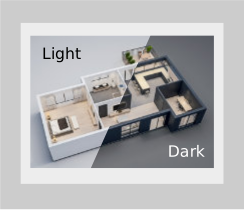
- Color modes: Three schemes available—light, dark, and automatic (adapts to app settings)
- Accessibility: Keyboard shortcuts supported; schemas automatically zoom to occupy at least 3/4 of screen height on mobile devices
Use cases: Boiler room visualization, floor plans, service documentation, sensor/actuator placement on technical room photos.
Day and Night Mode in Schemas
Separate image definitions for day and night mode with automatic color adjustment based on control settings.
Minor Updates
Preparation for upcoming devices: Single-zone Controller and Thermostatic Controller
2024.2
Custom Backgrounds for Dashboards
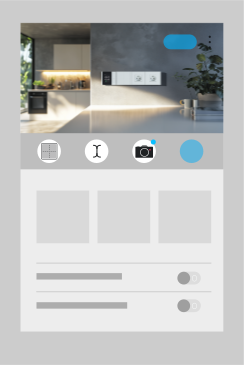
Now you can customize your dashboard with custom images! Upload photos directly from the camera, choose from the gallery, or upload image files to help distinguish your dashboard and make navigation easier in the app. All images are stored directly in the Core control unit and can be managed in My Location → Media Library.
Support for Additional Value Types
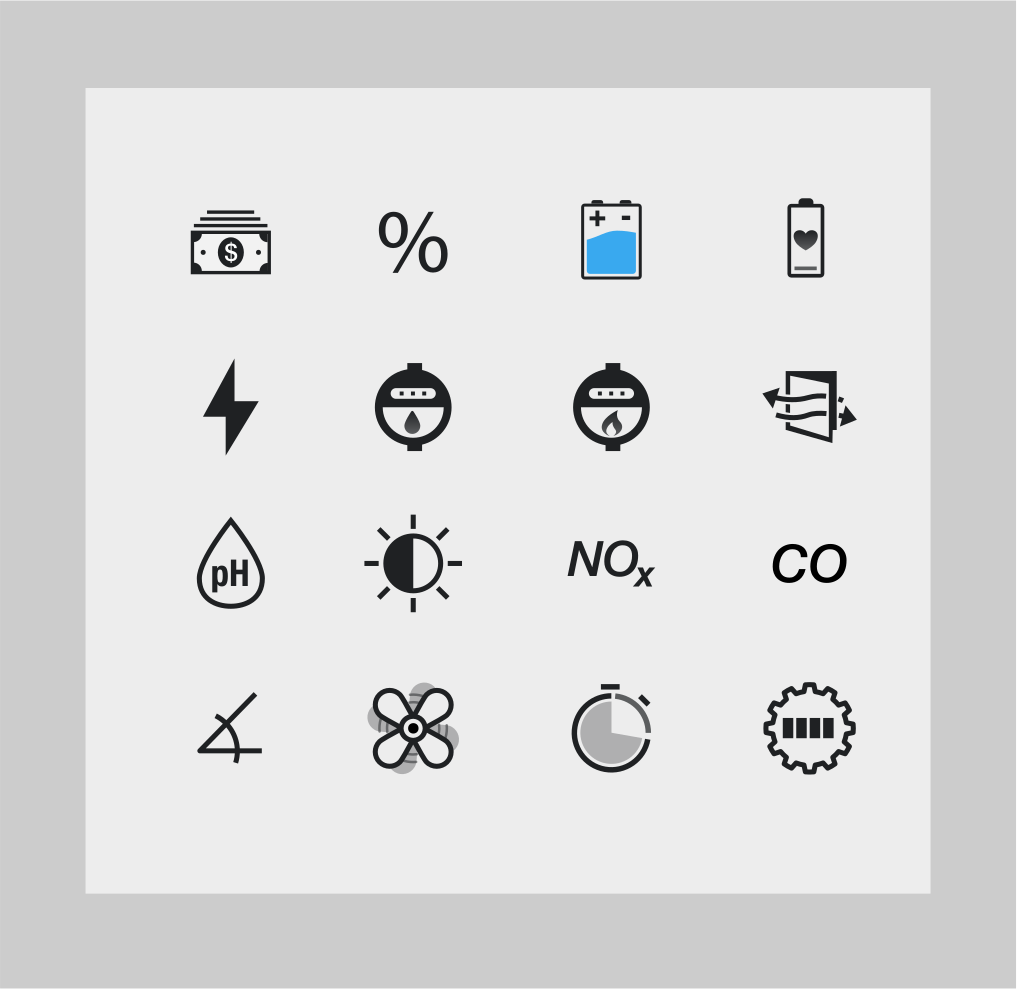
This version added new value types that variables can be converted to:
- Monetary value (with currency symbol defined by user in Settings → My Location)
- Percentages
- pH
- Electricity unit price
- Water unit price
- Gas unit price
- State of charge
- Battery health
- Light intensity
- Angle
- Airflow
- NOx (nitrogen oxides)
- CO (carbon monoxide)
- Revolutions per minute [RPM]
- Session duration
- Engine hours
Variable Icon Customization
It is now possible to change the variable icon to any other icon supported by the system.
Local Network IP Address Scanning

The control unit can now scan IP addresses within the local network it is connected to, even when accessed remotely. Newly connected devices are displayed with a ✅ icon for easier identification.
New Functions: SORT, TIMESPAN and STRICT for AVG, MIN, MAX
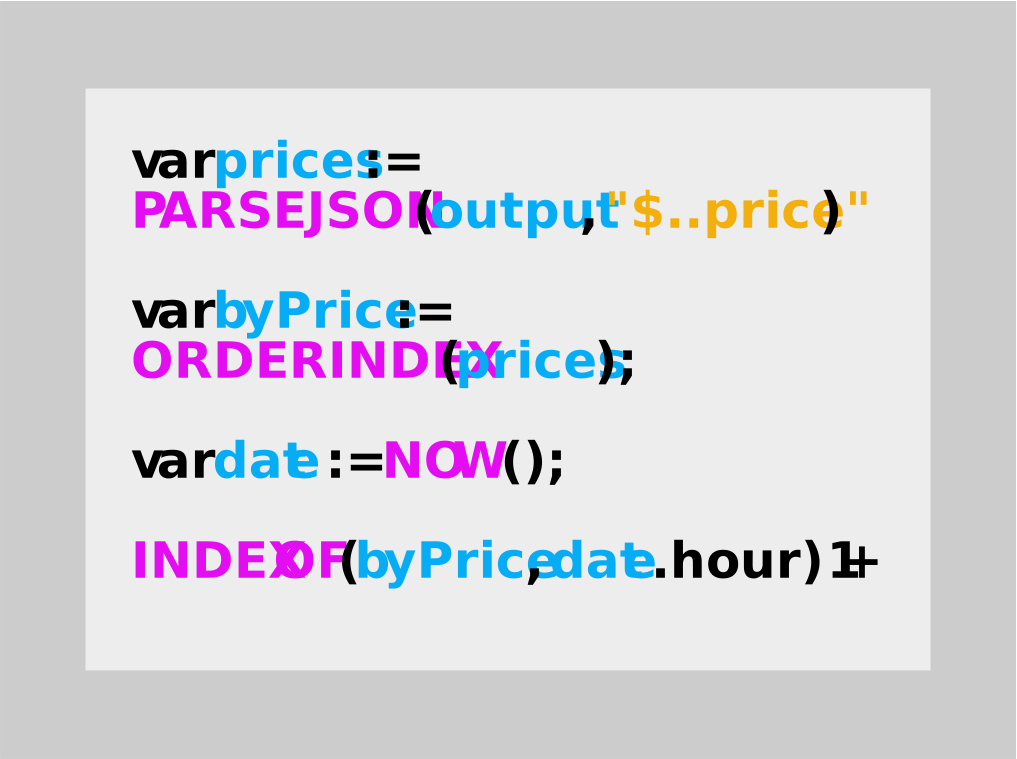
New sorting functions have been added, particularly useful in scenarios such as electricity spot prices. For example, determining the “Price order in current hour” is now easier.
New SORT functions:
- ORDER, ORDERSTRICT
- ORDERINDEX, ORDERINDEXSTRICT
- ORDERDESC, ORDERDESCSTRICT
- ORDERINDEXDESC, ORDERINDEXDESCSTRICT
Additionally, the TIMESPAN function was introduced for time operations along with STRICT versions of AVG, MIN, and MAX functions. The STRICT variant ensures that if any parameter is NaN, the entire result will be NaN.
Complete documentation can be found on the Expressions / Scripting Language page.
Haptic Feedback and Minor Improvements in iOS App
Vibrations have been added for key interactions in both Android and iOS apps - when a device changes its value. In the iOS app, the Back gesture has been improved for better response. App icons can now be dark or tinted.
Minor Improvements in My Location
Added link to release notes, currency symbol definition, and added menu for Media Library management.
Added Support for 4 LED/OC and Presence FM
2024.1
Adjustable Push Button Click Speed
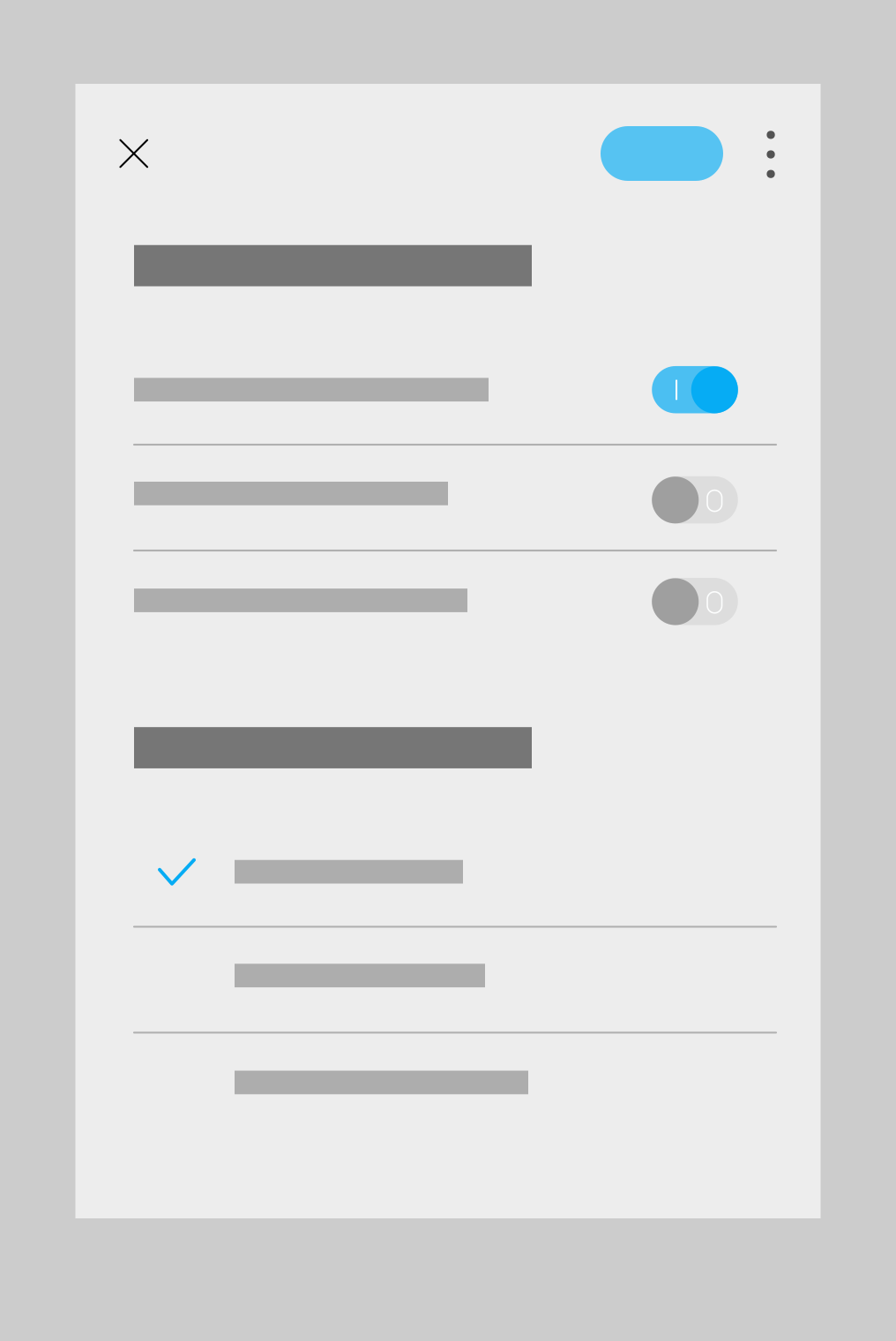
Additional settings have been added for all buttons in TapHome devices including touch devices (e.g., PB5, PB6) and UI inputs defined as buttons (e.g., 32UI module).
Requirements: Latest module firmware version
Select one or more buttons:
- Service settings → Supported click types: The fewer options you select, the less time the algorithm will have to wait before executing the button action. For example, if ‘Support Long press’, ‘Support Double click’, and ‘Support Triple click’ are all deactivated, the button action will trigger immediately upon pressing without waiting for release.
- Service settings → Long press duration / Click speed. Adjust the duration required for longpress or double/triple clicks.
Adding TapHome Devices via QR Code
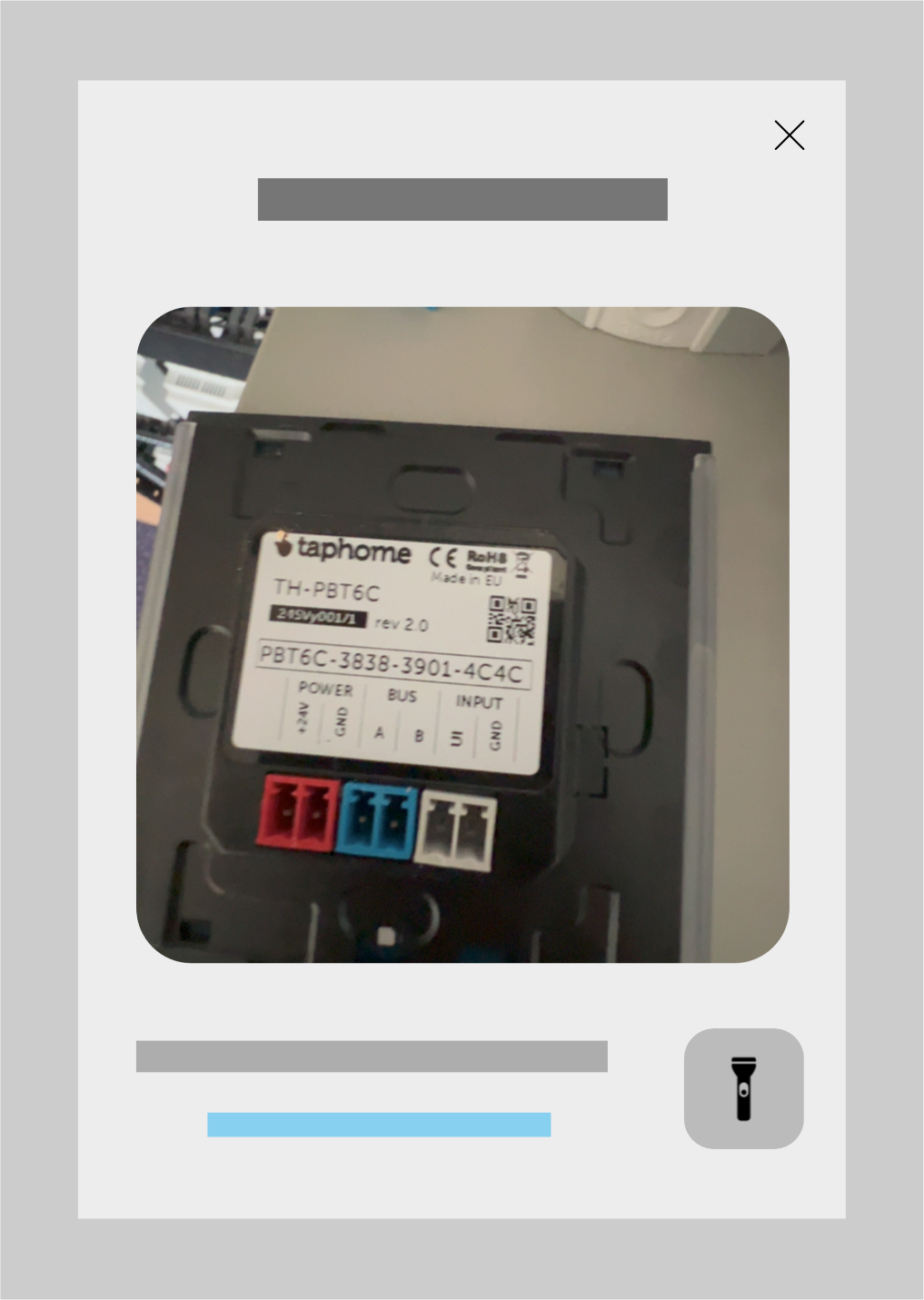
New TapHome devices have a QR code sticker containing serial number information.
In Settings → Hardware → TapHome Bus, in addition to Search for new devices, there is now an Add device option. This allows adding only one specific module to the bus without having to scan the entire bus and add all newly connected modules at once.
Note: The device must be connected to the bus at the time of scanning.
Spectrogram for New Presence Sensor and Touch Buttons PBT2.0
Ability to analyze what is happening directly in the module on individual channels. It is possible to save and then replay recordings. Available only in the Windows application.
Launch: Open Presence module (coming soon) or PBT module → Service settings → Start diagnostics
For the Presence sensor, individual distance levels of radar wave reflections and infrared spectrum changes from the PIR sensor are displayed. It visually shows in time whether the set threshold values are correct for the given room.
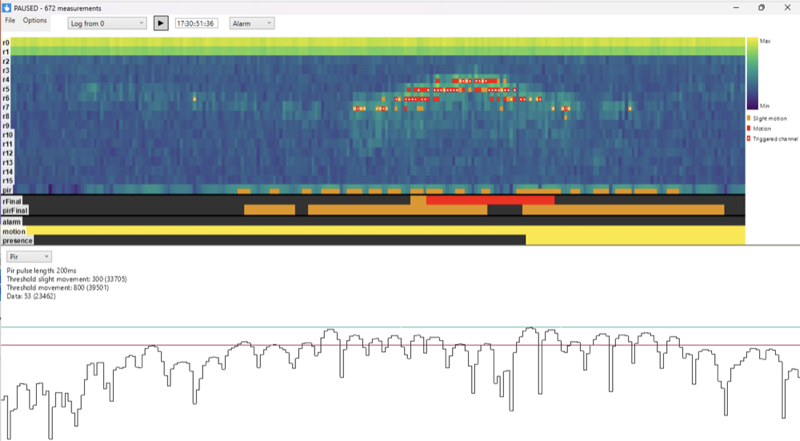
For PBT 2.0 touch buttons, you can see measured capacitances in (almost) real time.
Packet Parser Improvements
Added support for blinds and shutters
Simplified and accelerated message processing in Packet Parser language
What’s better: saves one PARSEJSON call to determine the topic value. When many mqtt messages arrive and only some are interesting, it’s more advantageous to use this.
RECEIVEDMSG also contains mqtt-specific values - e.g., CLIENTID, DUP, CONTENTTYPE, EXPIRY - their content depends on what the mqtt server sends. The old syntax still works and will continue to work.
RECEIVEDMSG also works with TCP and UDP, not just MQTT. In that case, it provides only PAYLOAD and LENGTH properties.
Original:
|
|
New version:
|
|
Minor Packet Parser improvements
- PARSEJSON, PARSEXML functions work more efficiently - require less RAM and CPU
- Extremely many listener messages should no longer reduce the overall response time of the control unit.
- Service information of packet parser modules contains statistical data about received and sent messages - counts for the last 5 and 30 minutes, number of received bytes, and for MQTT, information is sorted by MQTT-topic. This should help with script debugging and setting the most suitable topic filter so that the Core receives as few messages as possible that it doesn’t process at all.
More information about Packet Parser can be found in Compatible devices → Packet parser → Manual configuration
2023.2
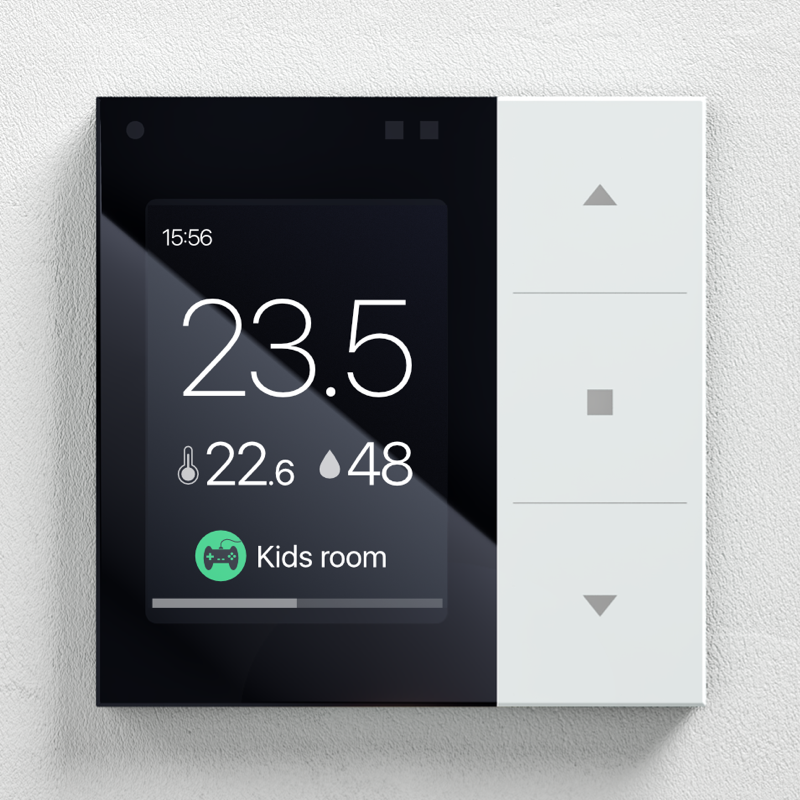
Added Support for Multi-zone Controller
2023.1
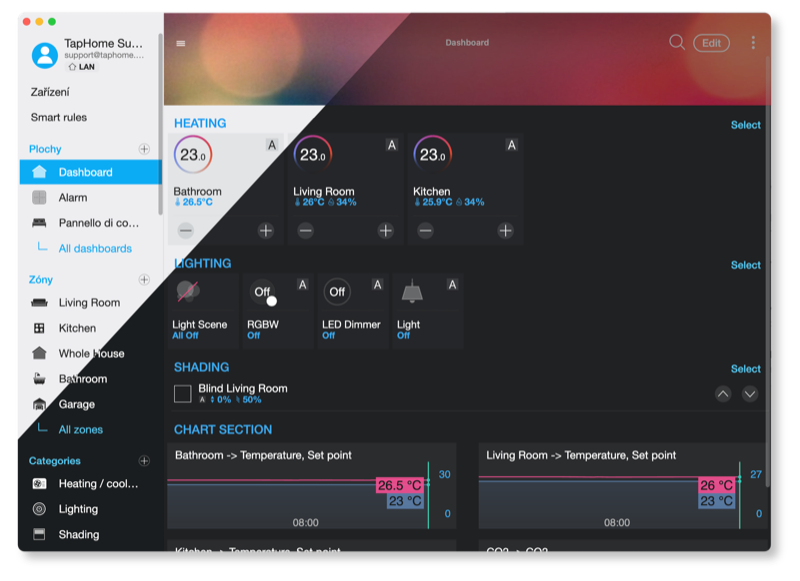
Dark Mode
Available for all platforms (iOS, Android, Windows, MacOS)
Two dark themes were added to the light theme: Dark gray, and Black (for OLED use in KIOSK mode)
Drag and Drop for Windows Application
Tunable White / RGBWW
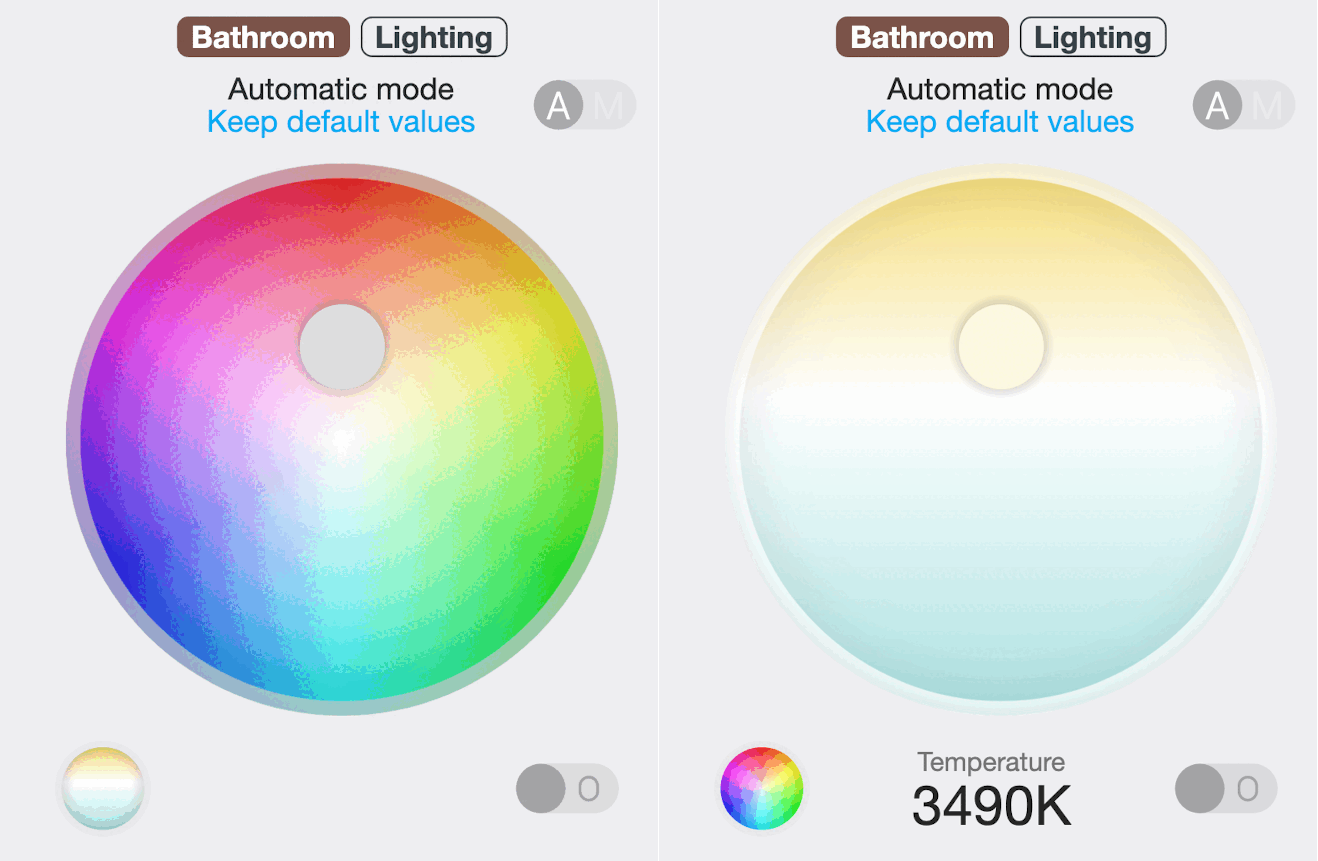
Ability to define 1, 2, 3, or 4 channels on the module (Dimming, Tunable White, RGB, RGBW).
Mixing profile for Tunable White lights
- Balanced [default] - at medium temperature, channel 1 goes to 50% power and channel 2 to 50% power, or
- Max - maximum power for both channels
Mixing profile for RGB lights
This setting only makes sense if individual components have different lumen settings.
- Min - prioritizes color accuracy. Channels with higher light output may not be utilized at 100%
- Max [default] - prioritizes maximum power, at the expense of color accuracy
Jablotron Alarm via RS485
Communication rework via JA-121T, on the TapHome side, inconsistent communication from the Jablotron alarm side is accounted for, where unhandled packet collisions occur.
In addition to linking PG outputs, which as the only ones provide relatively fast response, support for communication with the following was also added:
- Peripherals (all sensors connected to Jablotron alarm) - note, Jablotron sends this information with a several second delay
- Sections - ability to remotely see through TapHome system what state individual sections are in (armed, disarmed, alarm, service), and ability to switch them
Increased Response Speed via TapHome BUS
Communication with devices connected to different BUS ports is processed in parallel, which with proper configuration reduces response delay to a minimum.
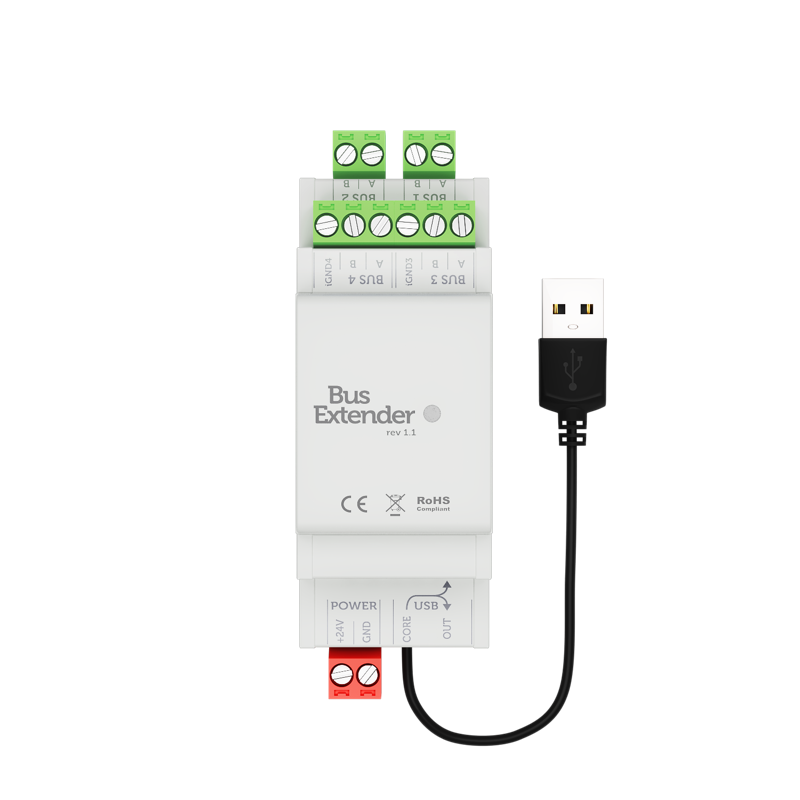
Support for Bus Extender
For larger installations, it is possible to extend the 3 BUS ports on the control unit via USB connection to Bus Extender (multiple can be connected in series), which adds 2 regular and 2 galvanically isolated BUS ports.
Increased Response Speed via Packet Parser
Utilizing multiple threads in the control unit for parallel communication with multiple Wifi / LAN devices simultaneously.
Improvements and Bug Fixes
- Fixed backlight management in iOS system in Kiosk / Guided Access mode
- Fixed SIP ringing notifications on Android devices
- Core and firmware updates are now delivered through the cloud, allowing better control over the update process and faster updates
2022.2
Simple New Location Setup
During setup, you must be logged in with a TapHome account. The new control unit after powering on can be found in Locations at the top and will scan automatically. We removed the original procedure of Logout -> Login via LAN.
Packet Parser
The new packet parser underwent a complete overhaul, error states with descriptions were added and stability improved. We extended parsing with new commands for working with XML, JSON, String, Byte Array formats. The option to use parsing via created templates remains. Through the TapHome app, you can now also select Sonos playlists, Tidal streaming service and internet radios were added. So nothing stands in the way of music control.

New Templates Don’t Require App Update
Templates for Modbus and Packet parser have been moved to online storage on GitHub. This means you need internet for their update. If you create a new template yourself, you can save it or share it with other users via GitHub.
Packet Parser and Modbus templates on GitHub: Custom XML templates for Packet Parser and Modbus GitHub - taphome-official/modbus_templates GitHub - taphome-official/packetparser_templates
DALI Lights
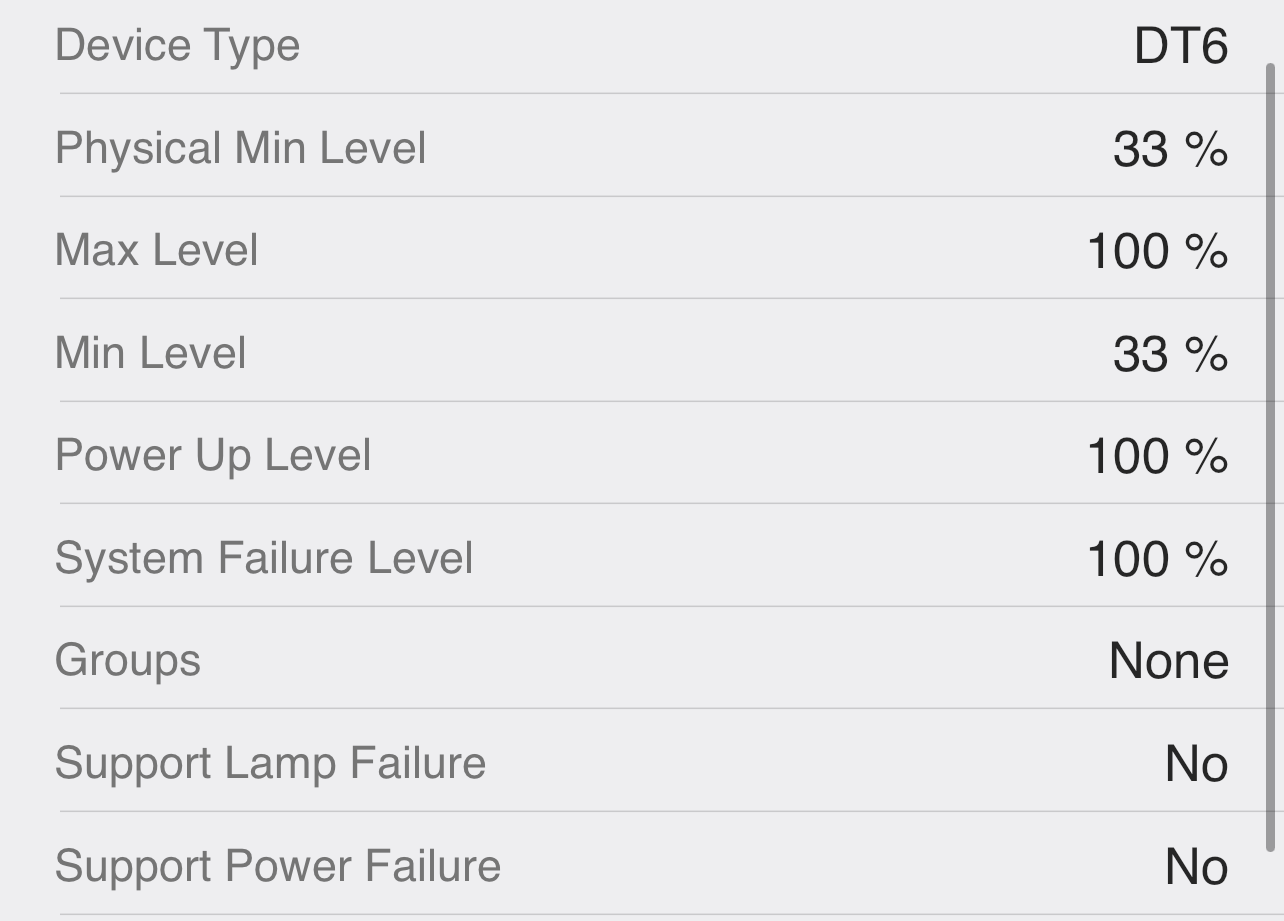
It is no longer necessary to configure DALI lights in Resi software. We have extended the Modbus template for DALI so that all settings are done only in the TapHome app.
Adding Multiple TapHome or Modbus RTU Buses
For expansion, you will need a USB / RS485 interface. This way, for example, you can use all buses on Core for dividing TapHome devices and use the USB extension for Modbus RTU.

New Packet Parser
- MQTT support - thanks to this support, it is possible, for example, to get instant information about packet parser device changes into TapHome
- Stability improvement - We added error states with descriptions
- New commands for working with XML, JSON, String, Byte Array formats
- Sonos - new template with playlist support
- Satel - new templates for alarm
- Dali - new templates for lights
- Shelly - new templates for Shelly Door-Window, Shelly Motion 2, Shelly 1PM
- Weather - new templates for Ecowitt WS2910
- Heating - We added a template for Sensibo Air Conditioner Smart Control
- Lighting - new templates for Yeelight Color
Scripting Language Improvements
- Loop support
- Data type support
TapHome Accounts versus Local Accounts
- Option to allow or deny remote access for TapHome accounts (email / password).
- Local accounts (admin / admin) have remote access disabled.
- Initial password for local account “admin” must be set before first use by entering the control unit’s Access token.
- Initial setup (initialization) of the control unit can only be done when logged in through a TapHome account - even when the control unit is not connected to the internet. This means local accounts are no longer needed, and the user never needs to log out of their account.
- The application can identify control units on the same local network (“LAN” icon), and offers them at the beginning of the location list.
- If the application finds an uninitialized unit on the same local network, clicking on it will directly start the initialization process (in older versions it was necessary to log out of the account or use the Add location menu).
IP Scanner
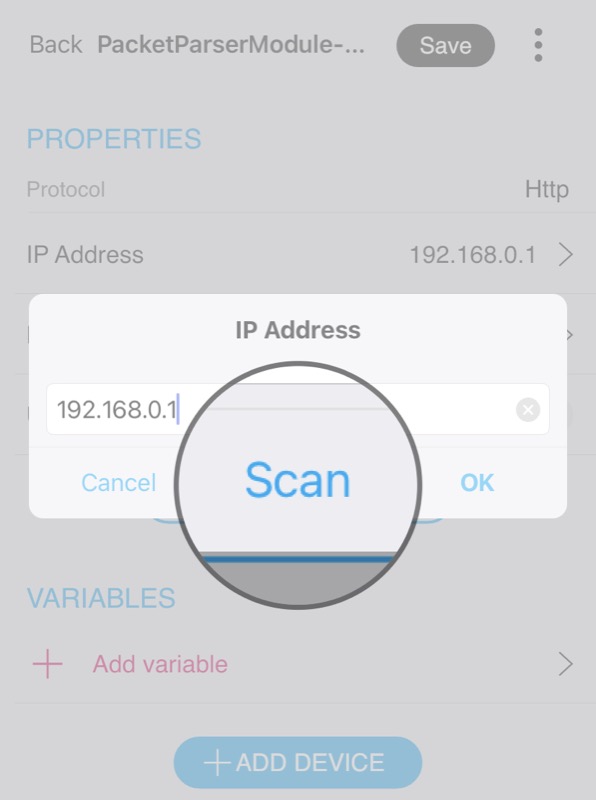
You won’t need the Fing app or Windows Advanced IP scanner anymore. You can scan the local network directly when adding a device via Modbus TCP or Packet parser. The system will assign them an mDNS address and therefore you don’t need to set up IP address reservation in the router.
Using Hardware Timers from Devices
Doesn’t flood the bus during fade, button dimming, etc. We currently support Zigbee and TapHome Bus. Support for DALI dimming is not yet available.
New Hardware Interface MQTT Broker
For using the MQTT protocol, you no longer need a separate Linux computer, it can run directly in Core. Through the new packet parser, you can also use WiFi button devices and they will have instant response.
2022.1
TapHome Scripting Language Improvements
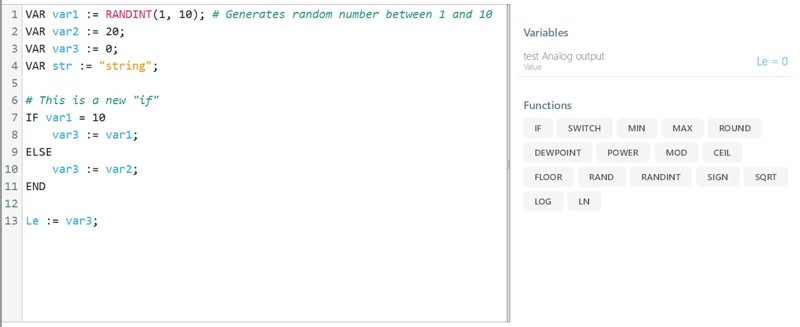
Multi-line scripting language with syntax highlighting was introduced for smart rules and Modbus configuration.
Features:
- RETURN() function returns the final result. If not used, the result of the last line is used
- Block IF statements with ELSEIF/ELSE support
- User-defined local variables (VAR syntax)
- Binary number literals (0b101010 format)
- Comments using ‘#’ character
- NaN (Not a Number) constant and ISNAN() function
- Improved error messages
New functions added: Bit/byte operations (GETBIT, SETBIT, etc.), BCD conversion (FROMBCD, TOBCD), string conversion (TOSTRING), SLEEP() and HYSTERESIS()
Debugging: The “Last run” section now captures variable states at the start and upon script completion.
New Device Types
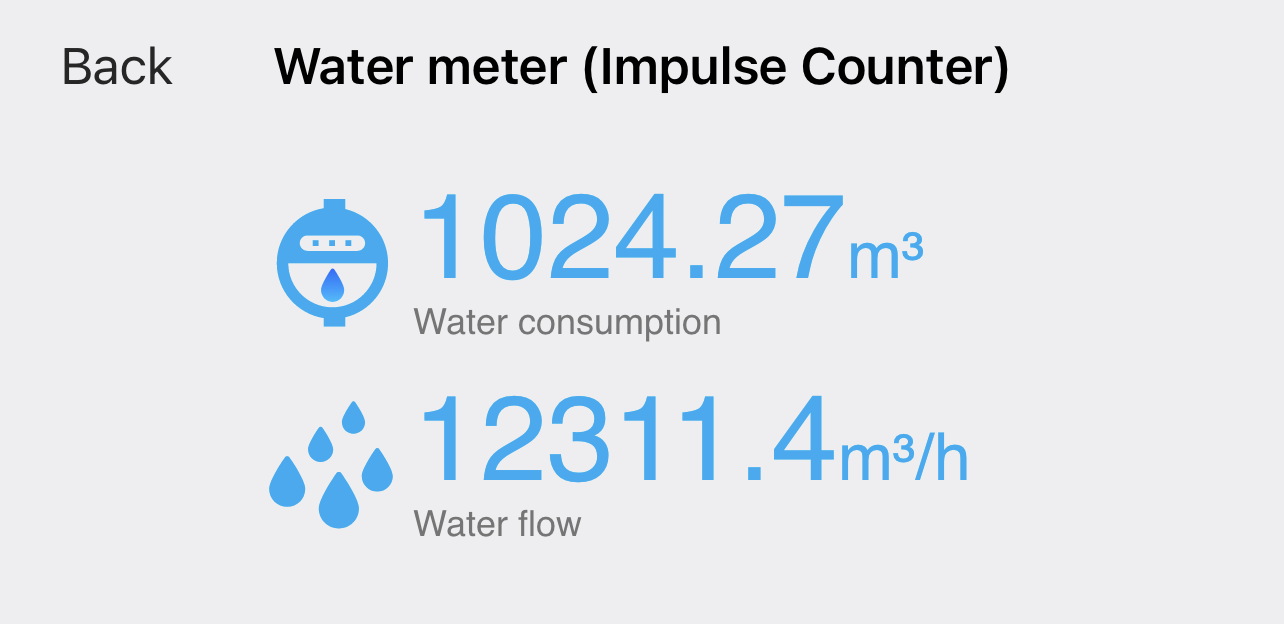
Support for measuring devices:
- Gas consumption/demand
- Water consumption/demand
- Rainfall intensity and counter
- Water pressure and level
- Electrical voltage and current
Major Modbus Update
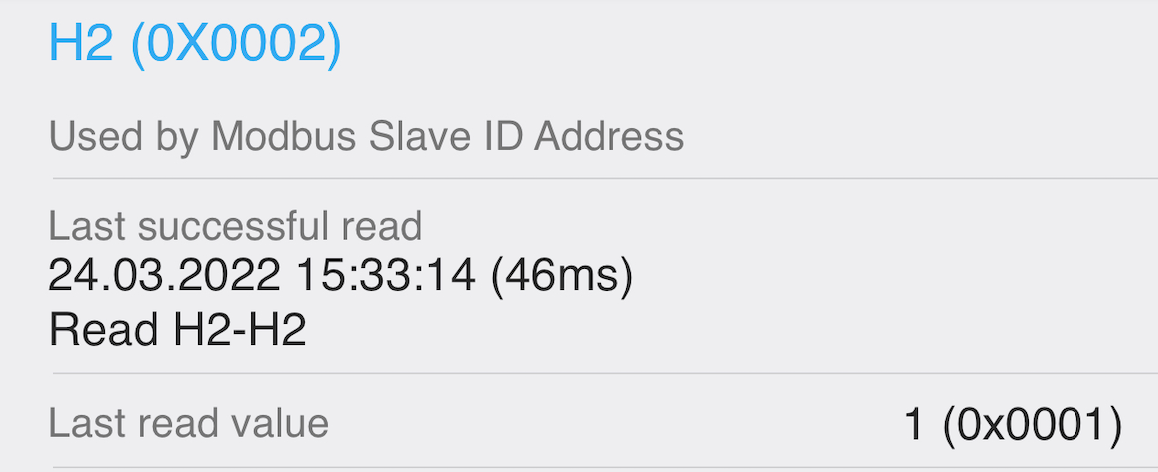
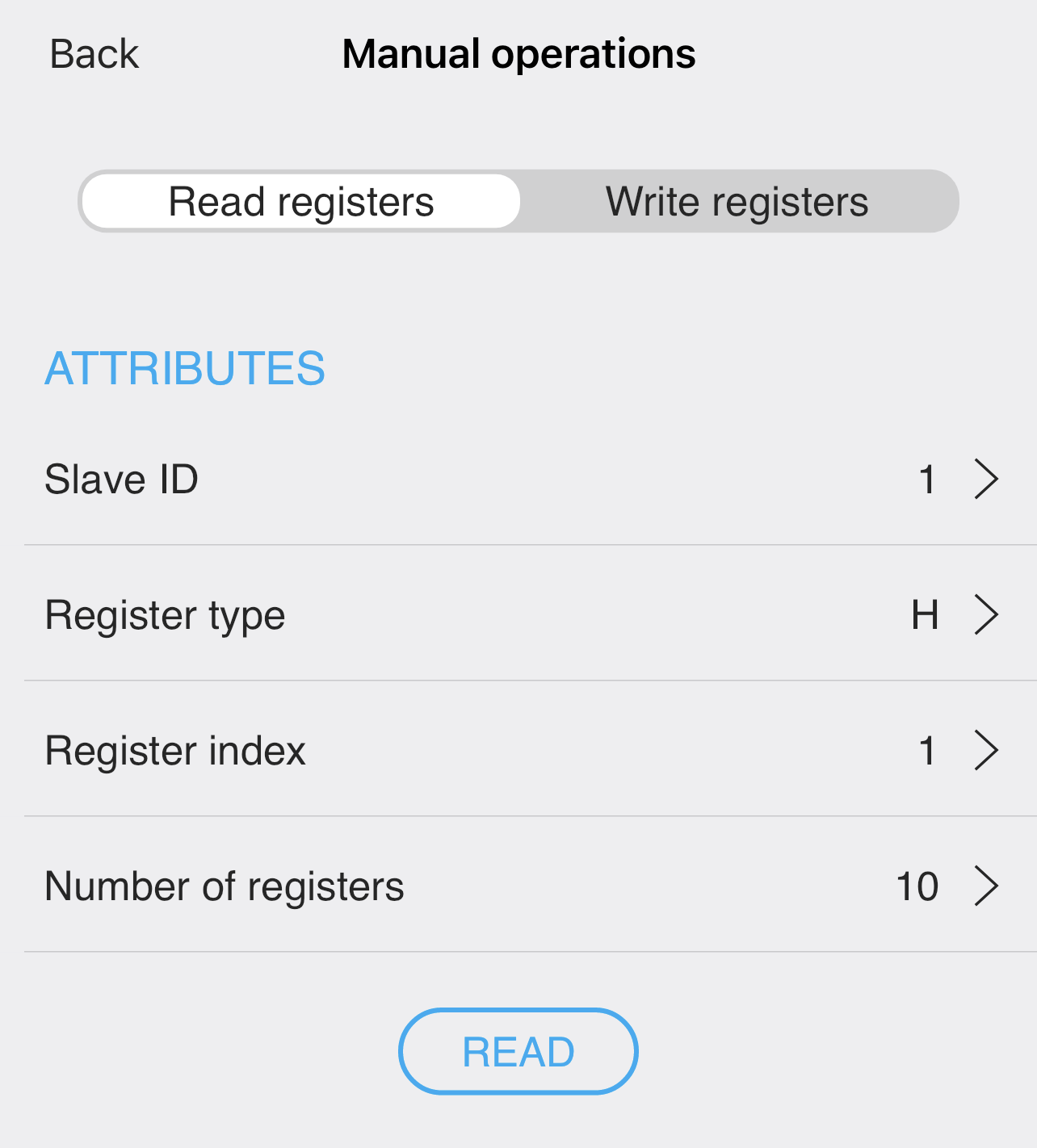
Including register information tool, manual test requests, slave ID scanning, XML templates, hierarchical structure, service attributes/actions, 50ms poll intervals, and 32-bit ByteSwap data types.
Other Improvements
- macOS Beta version released (push notifications while running; no SIP/camera support)
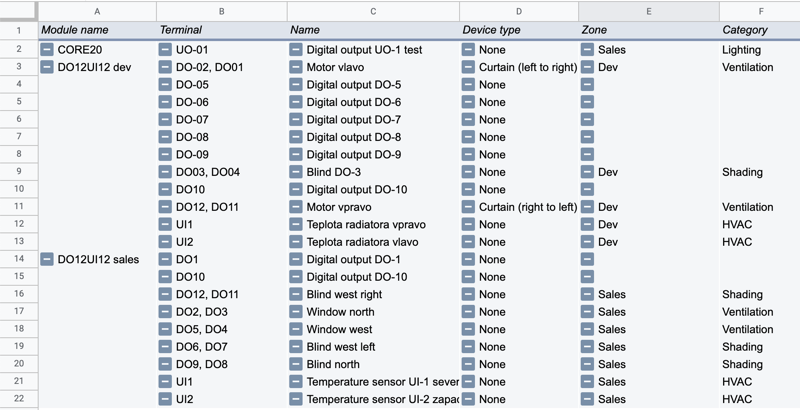
- Device configuration export to CSV format for documentation
- Access system logs export with attendance tracking capability
2021.3
Backup, Restore, Clone, Factory Reset
Available via USB drive and via App. For more information click here.
Major Access System Upgrade (Wiegand Bus)
UI / UX improvements. New philosophy – everything is allowed unless the administrator decides to specify restrictions.
New features for card / PIN code:
- can have custom names
- can be temporarily deactivated
- can be OPTIONALLY linked to user accounts
- Improved expiration settings
- Better handling of deleted cards / PIN codes
Improved Access Smart Rule - it is now possible to define selective access for certain cards. This enables the “locker room” scenario, where a user can unlock their specific locker with their card using only 1 card reader that is shared for all lockers.
New feature - custom date ranges, where admin can specify e.g., holidays for a specific country and use it in the access system and in the restricting conditions of each smart rule
Other Improvements
- Improved audio quality on SIP video doorbells
- Improved communication with LG air conditioning through native TapHome bus and LG PI485 card
- Improved notifications in Alarm smart rule
2021.2
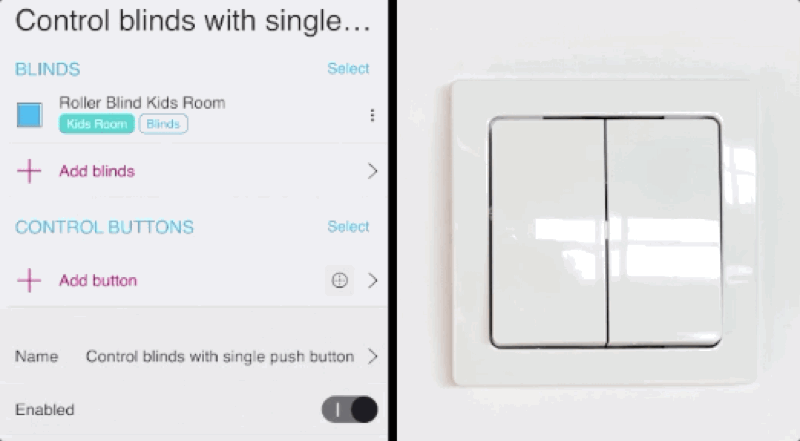
Push Button Press Detection
Optional information in GUI
- Enable / disable device notification display (default is on for Service permissions)
- Expand / collapse device logs for each device separately
Application Scaling
Set custom text and control element sizes in all applications

Improved Weekly Schedule Editing
Added ability to specify exact time for each action
Invitations for New Users
- When a new user is added to My Location, an email with instructions is sent
- Option to create account directly from email link if this user doesn’t have a TapHome account yet
Improved Visualization of Blinds and Awnings During Calibration

Font Improvements
Improved rendering speed, support for non-Latin languages, emoji, right-to-left
Added Support for New Zigbee Devices

Light Intensity Linearization Options
- AC dimming intensity compensation for 230V dimmers
- Visual light intensity compensation for LED PWM dimmers
New Templates
- Modbus template for Domat CO2 sensor
- Packet parser templates for Fonestar, Denon, Satel
Bug Fixes and Stability Improvements
- Grouping system messages from Core to applications. Previously, Core generated excessive network communication during frequent changes of many devices.
- Fixed hourly average counting in statistics
- Electricity meter statistics fixes
- Daikin AC improvements
- Modbus template improvements
- Fixed memory stability when Core runs without restart for extended time
- Improved core crash analytics
- Improved SIP doorbell voice quality
2021.1
Device Logs

Instant memory of recent changes on output devices Who, why, and when changed the device value
Device Errors
Device can now report specific error or warning with description.

Examples:
- Overheated output detection on relay modules
- Warning if relay output changes too frequently (which could reduce its lifespan)
- Warning if module is overheated (measured inside microprocessor)
- Overloaded output detection on LED / OC module
- Low battery warning on ZigBee devices
- Short circuit and disconnected sensor detection for analog inputs
New and Improved Smart Rules
🎉 New Smart Rule: Script
Improved formula Smart Rule with multiple calculations that are evaluated in the given order.
Use case example: counter resets at a specific time or event that saves the value of the previous period to a separate variable, while its value continuously increases during the current period
📅 Formula Smart Rule
Added option to evaluate not only after each change, but also at a specific event (e.g., every Sunday at 10:00)
💡 Button Dimming Smart Rule Improvements
Added more options for smooth dimming, ability to set minimum dimming value, ability to disable short press handling, which is practical when used in combination with lighting timer Smart Rule
🏡 Blind Control Using Up and Down Buttons
Improved behavior when used on multiple blinds
🧮 New Mathematical Expressions
POWER, MOD, ABS, CEIL, FLOOR, RAND, RANDINT, SIGN, SQRT, LOG, LN.
Stability and Transparency
Simple Value Conversions

Convert analog input or variable to a specific value type, e.g., CO2, wind speed, temperature, pressure, etc.
Other improvements:
- Port Manager - Internal table with used ports that warns if, for example, 2 services are linked on the same TCP / UDP port. This usually applies to packet parser, TCP / UDP integration protocol, SIP intercom.
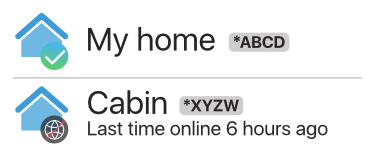
- All Locations - Added information if location is online or how long it has been offline.
- Email notifications about possible control unit issues.
- Daikin air conditioning interface - bug fixes.
Cloud API
Ability to use Siri shortcut, NFC tag, Android Tasker
Integration with home-assistant.io thanks to community project
Demo available here login: demo, password: demo
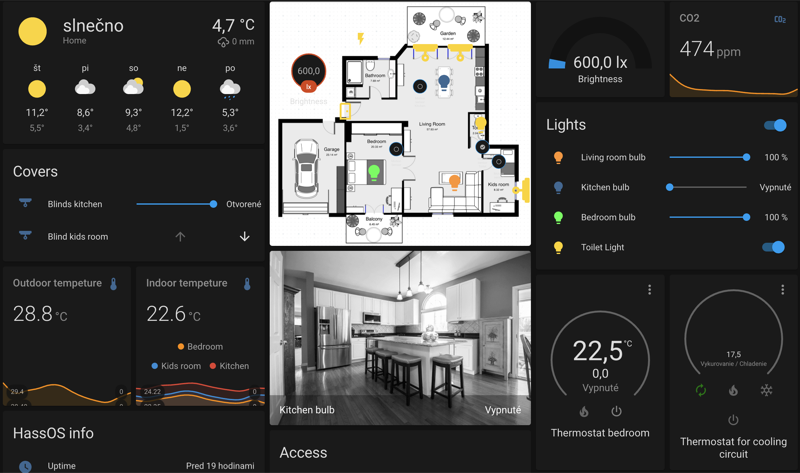 TapHome Home Assistant GitHub
SIP Doorbell
- Peer to peer remote connection that activates automatically, improves audio quality
- Audio quality improvements
- Improved video stream rendering on all platforms
- Improved ringing notifications in iOS and Android systems
- Many bug fixes
User Interface and Platform
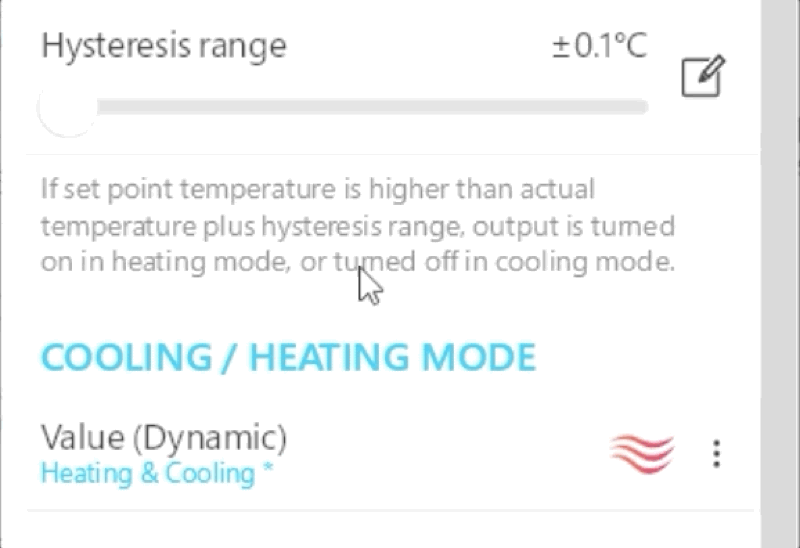
- All sliders can now be set using numeric input
- Blind UI: angle can only be set in 20% steps
- App Settings → Kiosk mode for iOS and Android
- Keyboard shortcuts for Windows application
iOS FaceID Check on Launch
- iOS: multi-line editing dialog
- Faster Android app startup
- New icons https://fb.watch/4zTeInMla6/
New Hardware Interfaces
Zigbee gateway with portfolio of compatible radio devices Packet parser can now parse file via FTP connection Powerview Hub 2.0 support (blinds and awnings) New packet parser templates: Yeelight, Denon Heos, OpenWeather, etc.